AI is good. AI slop is bad and can get your channel demonetized faster then you generate your next AI video.
The solution is simple:
Do not publish mindless, mass-produced AI content if you want your YouTube channel monetized.
YouTube is not banning AI tools or AI generated videos.
However, its current YouTube Partner Program policies require original and authentic content.
Videos that look generic, repetitive, emotionally manipulative, or automatically produced without meaningful creator input may not qualify for monetization.
7 tips to make your AI videos eligible for monetization
Keep AI, lose the slop! Use this seven-step checklist before publishing your next AI created video.
-
1. Keep AI “experts” away from sensitive advice.
YouTube does not allow monetization for AI personas presented as human experts giving health, financial, legal, or political advice. Put a real creator or qualified expert at the center of these videos.
-
2. Build an original narrative.
Give every video a clear beginning, development, and conclusion. Add your own argument, experience, opinion, demonstration, or creative concept instead of stitching together unrelated AI clips.
-
3. Use human narration when authority matters.
You do not need to appear on camera, but your real voice can make a faceless educational channel feel more credible, personal, and clearly creator-led.
- 4. Stop repeating the same template.
A consistent format is acceptable, but each video must offer a substantially different story, lesson, analysis, or entertainment value. Changing only the topic, title, or background is not enough.
-
5. Avoid distress bait.
Do not manufacture repetitive stories showing animals, children, or other characters in exaggerated danger simply to generate emotional clicks. YouTube considers this type of manipulative content unsatisfying and off-putting.
-
6. Add original research to AI drafts.
Treat AI scripts as rough material. Verify its claims, add examples, test the advice, include demonstrations, and rewrite the structure around your own conclusions.
-
7. Use AI for support, not total production.
AI works well for brainstorming, outlines, captions, editing assistance, translations, and background visuals. The final video should still reflect human judgment, creative choices, and a recognizable point of view.
How to Build a Better Creator Workflow With TunePocket
TunePocket can help you improve AI videos without turning them into interchangeable content.
-
Create a recognizable sound.
Choose fresh royalty-free music and sound effects that support your story instead of relying on the same generic audio.
-
Develop stronger topics.
Use the free YouTube Video Ideas Generator as a starting point, then add your own expertise and audience insights.
-
Research competing channels.
Find relevant creators with the YouTube Channel Search and analyze recent performance with the YouTube Channel Stats Checker.
-
Prepare relevant metadata.
Use the YouTube Tags Generator and YouTube Hashtags Generator to describe your finished video accurately.
Free Tools For YouTubers and Creators
Boost your channel | Save time | Grow faster

Final Takeaway
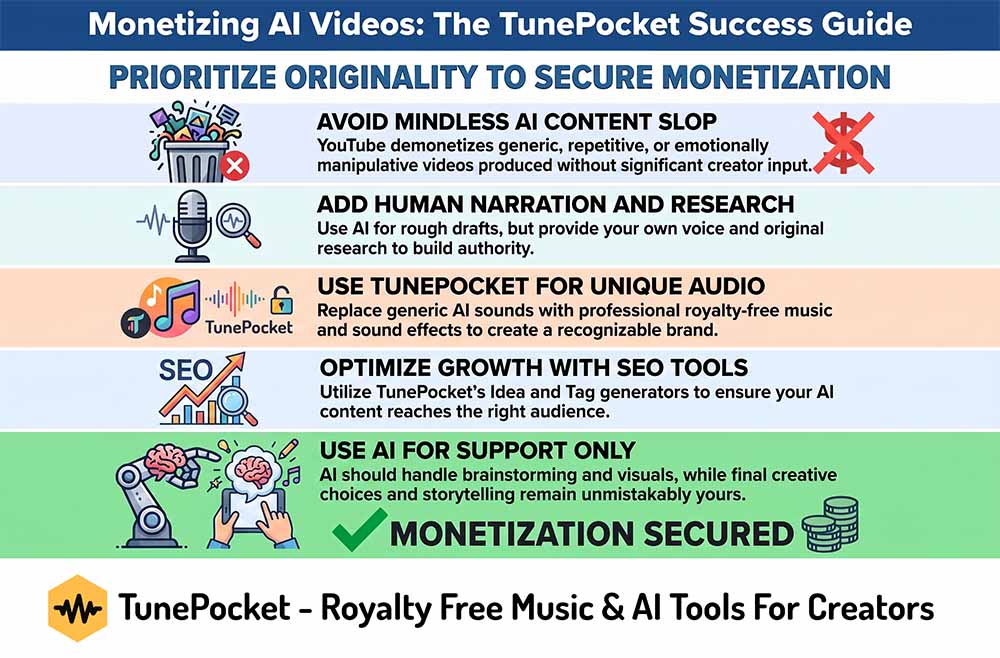
AI can make production faster, but it cannot replace your perspective. Use AI to support your workflow, then add the research, narration, storytelling, editing, music, and creative decisions that make the finished video unmistakably yours.
Free Inforgraphic
Download 14,000+ Royalty Free Music Tracks And Sound FX
Unlimited download | Lifetime license | Commercial use